EduCampusOS app icon
mobile apps · free on Android

EduCampusOS in every pocket.

One app for parents, students, teachers, drivers and every member of staff, each seeing the school the way their day needs it. The Android app is on Google Play. The iPhone app is coming soon.

Get it onGoogle PlayComing soonApp Store
QR code that opens EduCampusOS on Google Play

Scan to get the app.Point your phone camera at this code to open EduCampusOS on Google Play.

Fingerprint or face lockTwo-step sign-inWorks on poor connections11 Indian languages

You need an account from your school. Your school gives you a User ID and password.

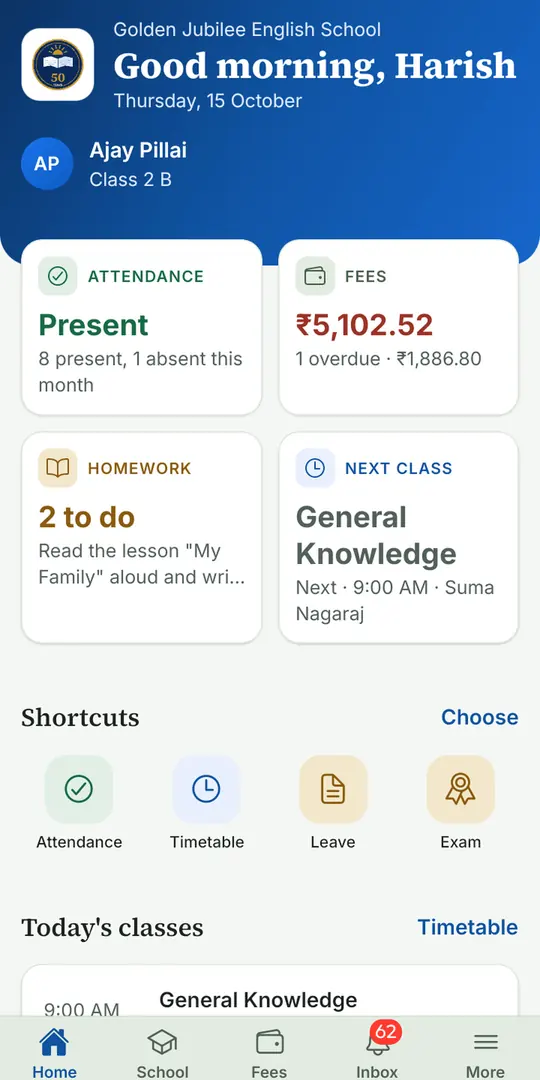
EduCampusOS parent home screen with attendance, fees, homework and the next class
Parent home
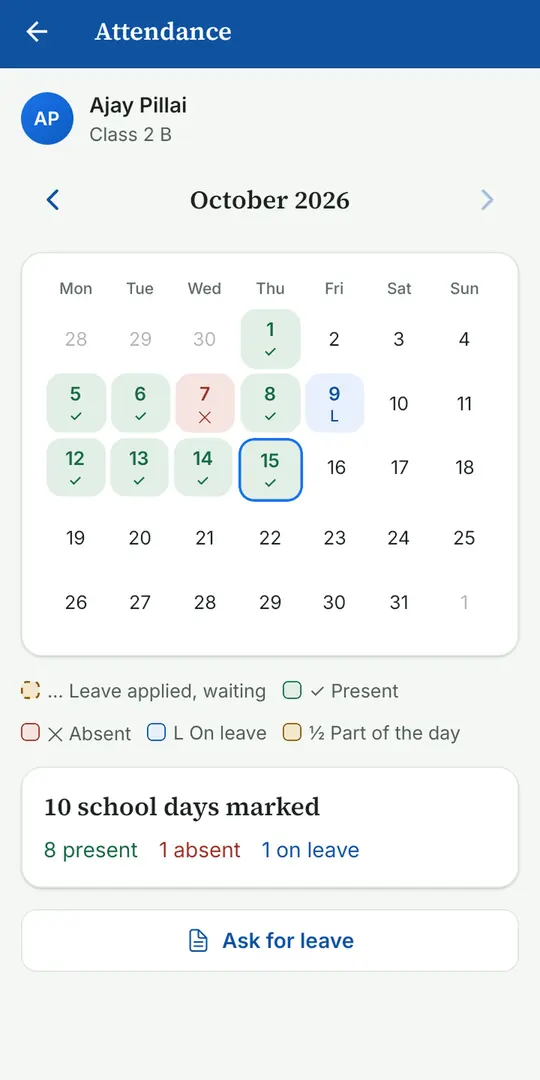
EduCampusOS attendance screen with the month at a glance
Attendance
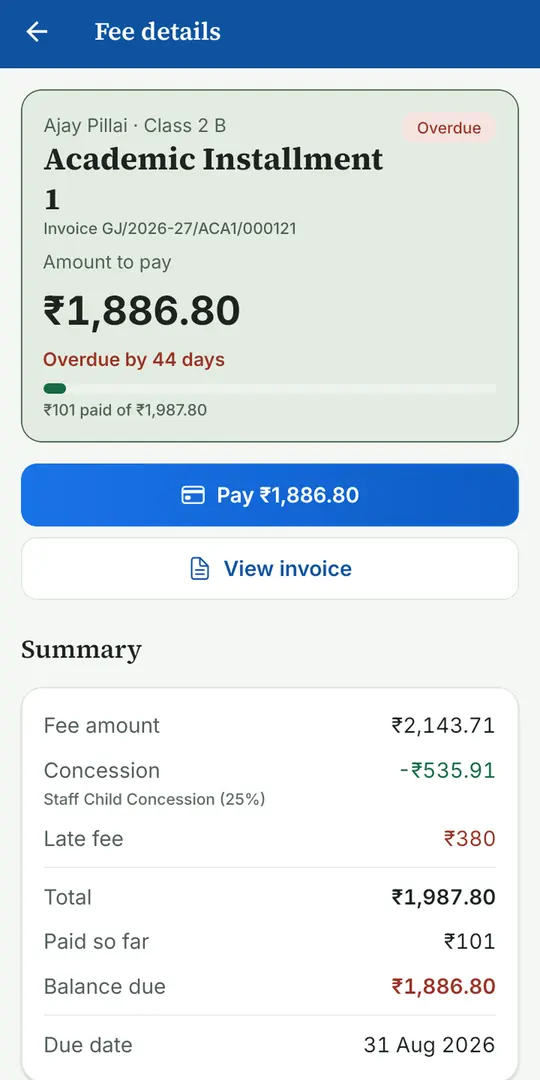
EduCampusOS fee details screen with the amount due and a Pay button
Fee details
try it now

Use the app right here.

This is a working copy of the app. Sign in, pay a fee, watch the bus, send a leave request, then switch to the Teacher or Driver app and see the parent’s screen change. Everything shown is sample data.

every role

An app made for each person in your school.

Everyone signs in with the login their school gives them and sees only what their role needs. One school record sits behind all of it, so what a teacher posts is what a parent sees.

Parent

The app for families.

  • Attendance, fees and invoices, results and the diary in one place
  • Live bus map, with how many stops away
  • Book parent-teacher meetings and check in with a QR code
  • Leave requests that send even without signal
  • See consent and request correction or erasure of your child’s data
  • Raise a case and follow it to the end

Student

The app for your day.

  • Your day, timetable and results
  • The diary, with homework and notes
  • Ask Class IQ about your own syllabus
  • Library books and a reading log
  • Your activities and clubs

Teacher

The app for the classroom.

  • Take roll in a few taps
  • Post the diary and notices
  • Your week and substitutions
  • Mark scanned answer sheets on your phone
  • Leave and payslips

Every member of staff

The app for the whole team.

  • Check in and out
  • Apply for leave and see balances
  • Payslips on your phone
  • School bulletin and appointments
  • Librarians, attendants, lab and office staff each see their own work

Bus driver

The app for the road.

  • See today’s shifts and stops
  • Start and finish a trip with live location
  • Record boarding, with rider photos, even without signal
  • Vehicle details and trip history
  • Transport notices

School leadership

The web app, on any screen.

  • Principals, owners and administrators use the EduCampusOS web app for reports, approvals, fees and admissions
  • It opens in any browser on a phone, tablet or computer
  • Their accounts stay off the mobile apps on purpose: they hold the most powerful permissions, and phones can be lost
the real app

What it looks like on a phone.

Screens from the Android app, taken from a demo school with sample students.

EduCampusOS parent home screen with attendance, fees, homework and the next class
Parent home
EduCampusOS attendance screen with the month at a glance
Attendance
EduCampusOS fee details screen with the amount due and a Pay button
Fee details
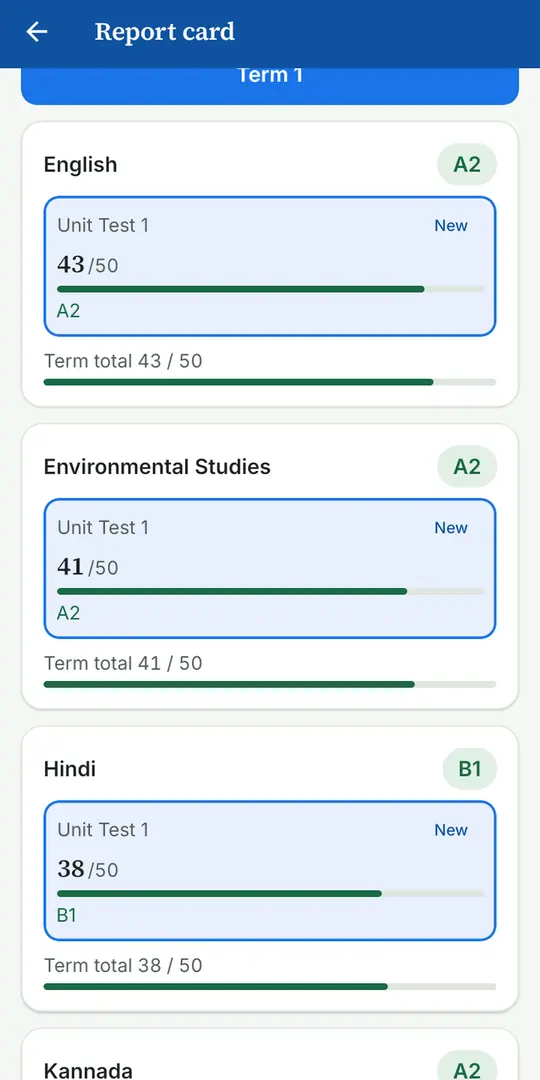
EduCampusOS report card screen
Report card
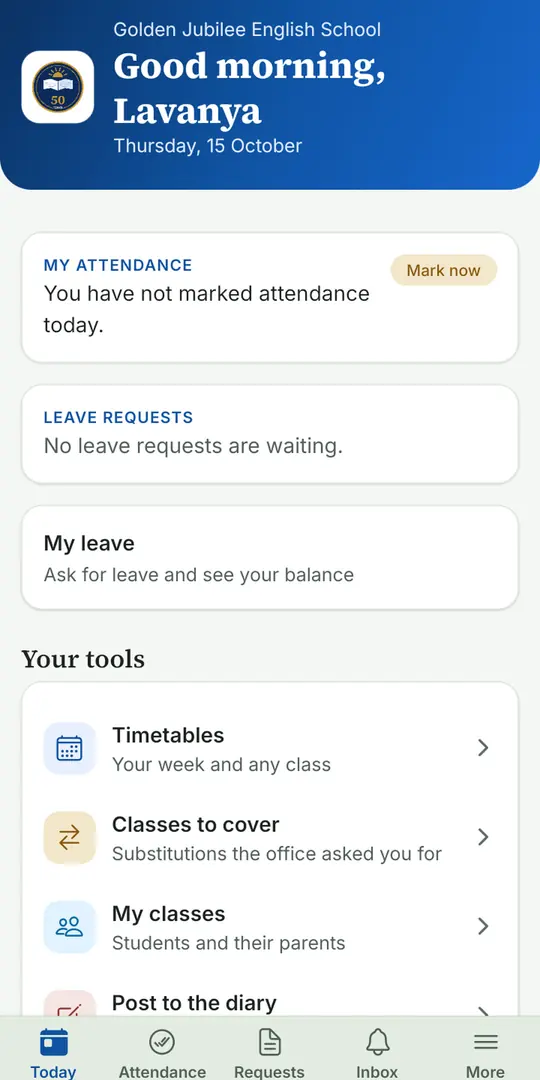
EduCampusOS teacher home screen with attendance and tools
Teacher
getting started

Three steps to your first sign-in.

STEP 1

Install the app

Get EduCampusOS from Google Play and open it. The iPhone app is coming soon, and we will say so here.

STEP 2

Sign in

Use the User ID and password your school gave you. You will be asked to choose a new password the first time.

STEP 3

Pick your language

Choose from 11 Indian languages, then turn on fingerprint or face lock if you like. You can change both later.

built in

Safe, quick and made for real phones.

Locked to the person

Fingerprint or face lock, two-step sign-in with backup codes and extra checks before sensitive actions. Sensitive screens block screenshots and phone files are encrypted.

Works with poor connections

Leave requests, bus boarding and other updates are saved on the phone and sent when the signal returns, so nothing is lost on a weak signal, with a clear offline indicator.

One login, more than one role

A parent with several children switches between them in one tap. A staff member who is also a parent can switch portals without signing out.

Raise a case from your phone

Parents and staff can raise a case, get a reference number straight away, follow it to a tested fix and reopen it if it is not right. How we support you.

Your data, your choice

Parents can see the consent they have given and ask for correction, export or erasure of their child’s data from the app, in line with India’s DPDP Act 2023.

Your language

English, Kannada, Hindi, Tamil, Telugu, Malayalam, Marathi, Bengali, Gujarati, Punjabi and Odia. Every screen follows the language you choose.

Get the app, or bring it to your school.

Already part of a school on EduCampusOS? Install the app and sign in. Want it for your school? Tell us about your school and we will get you set up.

Get it onGoogle PlayComing soonApp Store